
To disable Length of Stay (LOS) Pricing for specific dates is to exclude those date ranges from the LOS Map.
For example, if you want LOS Pricing to not apply from 10/11–10/19, simply leave those dates out of the LOS Map. Any dates not included in the map will not use LOS Pricing.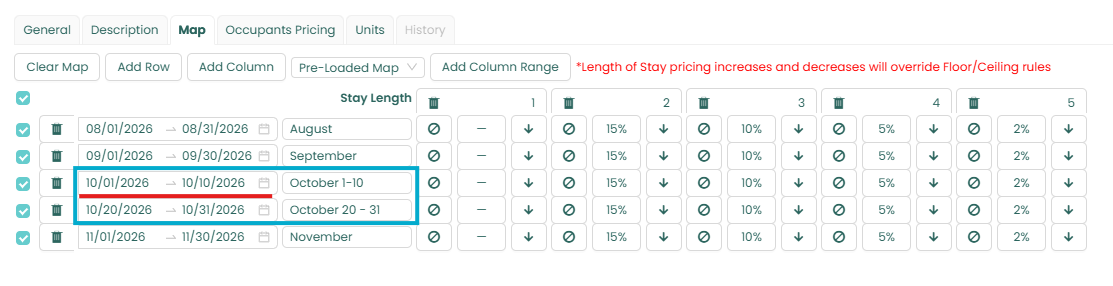
What if I want to turn off LOS Pricing for specific dates on only one or a few units within an LOS Map?
If you only want to disable LOS Pricing for certain dates on one or selected units, you'll need to create a separate copy of the LOS Map for that unit.
Follow these steps:
- Create a copy of the existing LOS Map assigned to the unit.
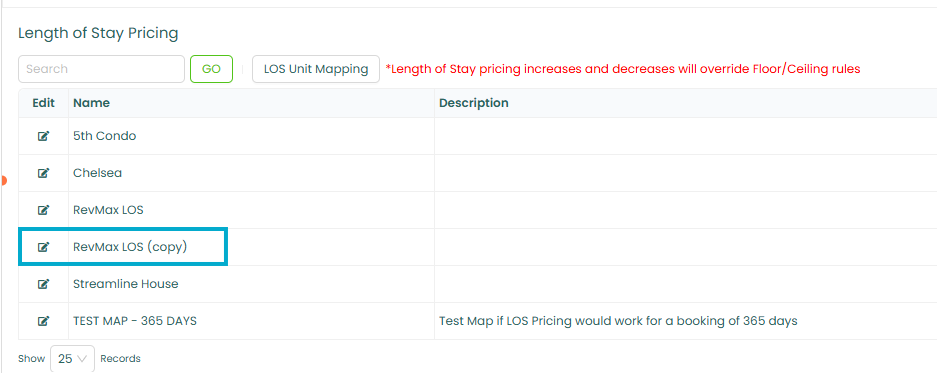
- Remove the unit from the original LOS Map.
- Assign the copied LOS Map to the selected unit.
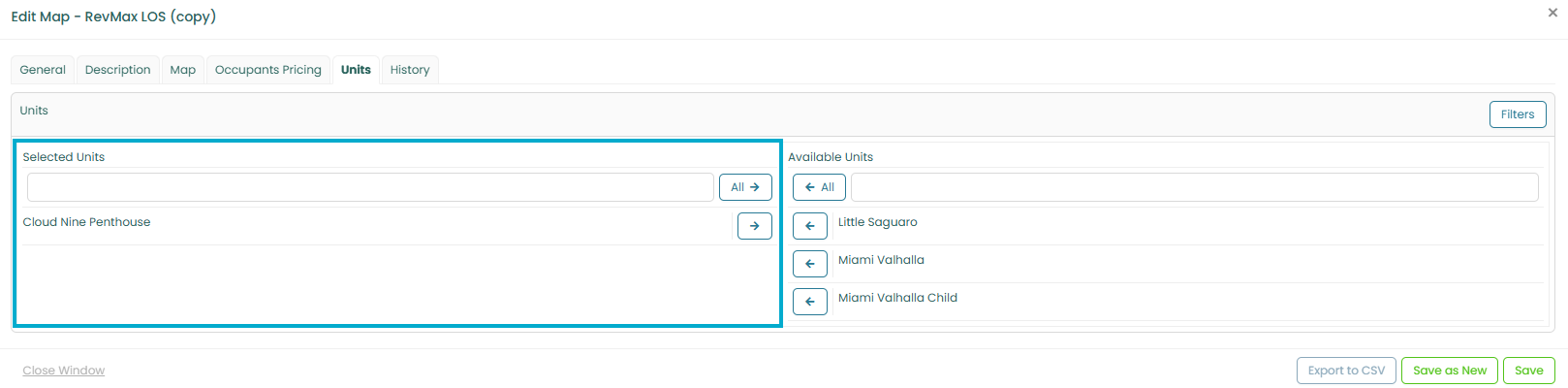
- Edit the copied LOS Map and exclude the date range where you do not want LOS Pricing to apply.
This allows the selected unit to have a different LOS configuration without affecting any other units assigned to the original LOS Map.
For detailed instructions on how to copy an existing LOS Map, please refer to this KB article:
Length of Stay Pricing: How to set up Length of Stay? :
For more information on this topic, we invite you to visit our online classroom at RevMax Learning. |  |